# Settings, notifications, and limitations

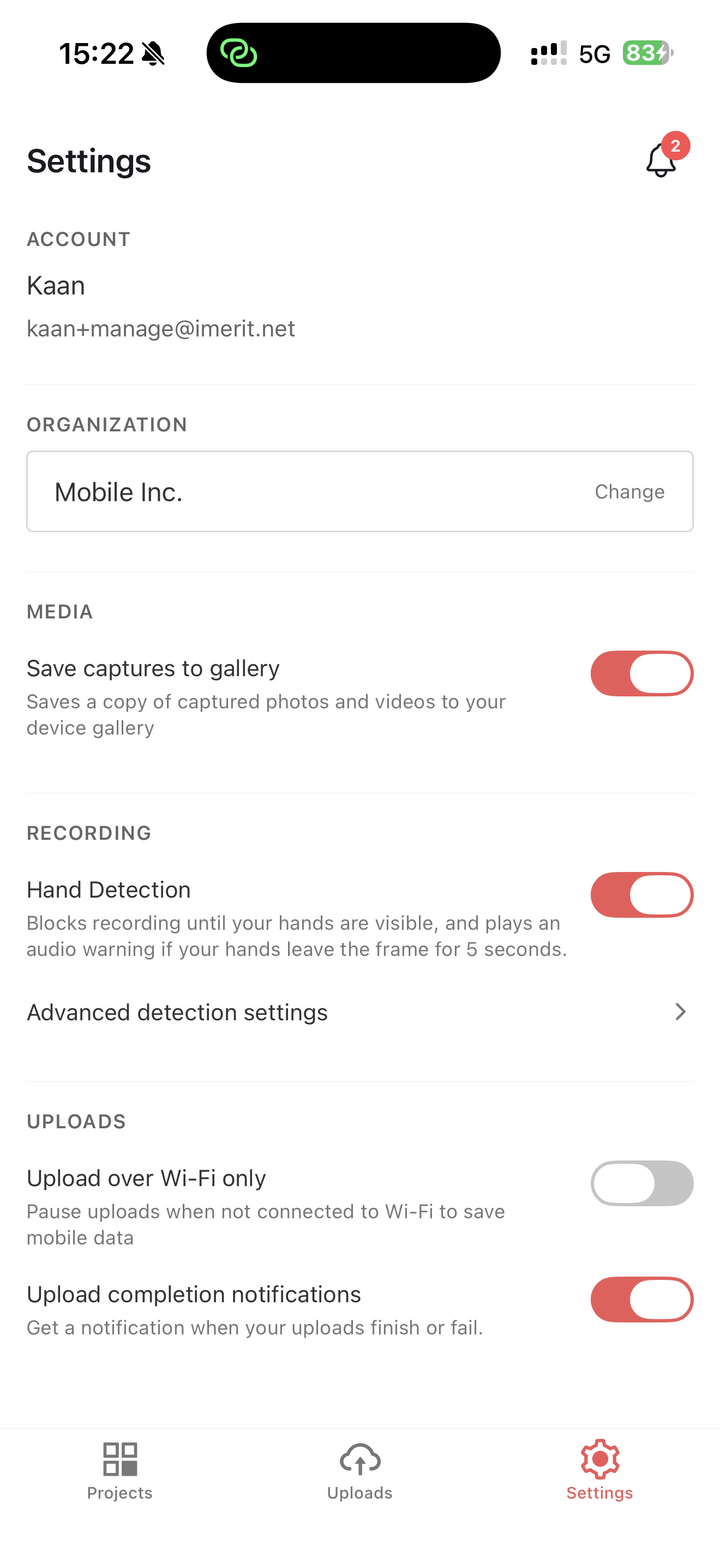
The *Settings* tab contains account information, organization switching, media preferences, upload preferences, Hand Detection preferences, and sign-out.

<figure><img src="/files/haydZWt8h42j8GjlBF5p" alt="" width="375"><figcaption><p>The Settings tab contains account, organization, media, upload, and Hand Detection settings.</p></figcaption></figure>

## Account and organization

The *Account* section shows your name and email address.

The *Organization* section shows the organization currently selected in the app. Tap *Change* to switch to another organization you belong to.

## Media settings

The *Save captures to gallery* setting controls whether photos and videos captured in the app are also saved to your device gallery.

This setting does not change whether the media is uploaded to Ango Hub. It only controls whether an additional copy is saved locally in the device gallery.

## Upload settings

The *Upload over Wi-Fi only* setting pauses uploads when the device is not connected to Wi-Fi.

The *Upload completion notifications* setting controls whether the app sends a local notification when uploads finish or fail.

If there are pending files, Settings also shows how much device storage is currently used by pending uploads.

## Hand Detection settings

The *Hand Detection* toggle controls whether Hand Detection is used for new video captures.

When enabled, Hand Detection blocks recording until hands are visible, and can warn the user if hands leave the frame during recording.

Tap *Advanced detection settings* to configure detection, warning, upload-validity, and session-limit settings. Session limits are shown as read-only in this release.

## Notifications

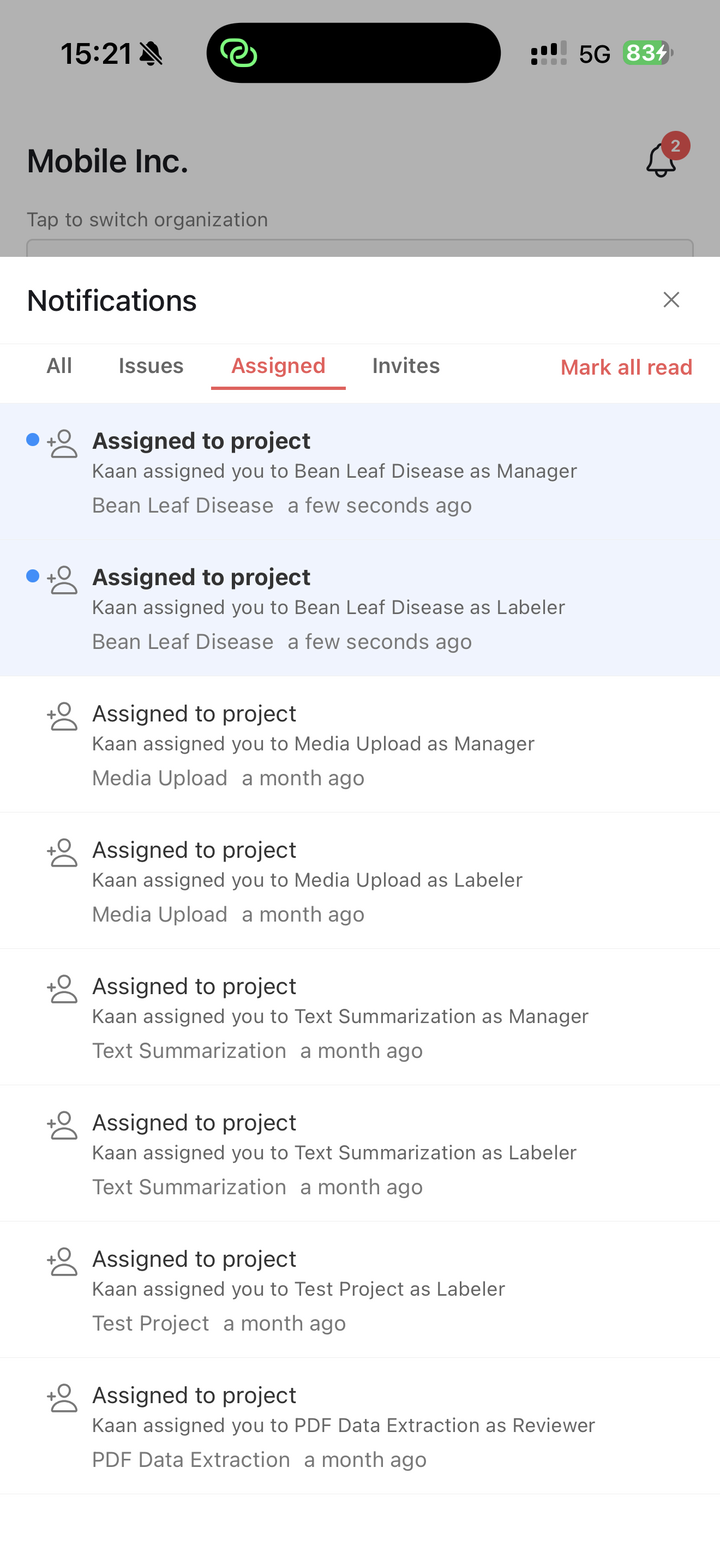
Tap the notification bell from the *Projects* or *Settings* tab to open notifications.

Notifications can be filtered by:

* *All*
* *Issues*
* *Assigned*
* *Invites*

Tap *Mark all read* to mark all visible notifications as read. Tapping a project, task, or issue notification opens the related project.

<figure><img src="/files/J32HBTSUOZ6js95KoUMB" alt="" width="375"><figcaption><p>The notifications panel groups project, task, issue, assignment, and invite notifications.</p></figcaption></figure>

## Current limitations

The current version of the Ango Hub App is focused on classification and data collection workflows.

The following require the web app:

* Project creation and project settings.
* Ontology creation and ontology editing.
* Asset import and export.
* Drawing annotations and relations.
* Custom JavaScript label validation.
* Required classification tools not supported on mobile.
* Unsupported asset types.

If the mobile app cannot safely complete a task, it will show a message asking the user to continue in the web app.


---

# Agent Instructions: Querying This Documentation

If you need additional information that is not directly available in this page, you can query the documentation dynamically by asking a question.

Perform an HTTP GET request on the current page URL with the `ask` query parameter:

```
GET https://docs.imerit.net/ango-hub-app/settings-notifications-and-limitations.md?ask=<question>
```

The question should be specific, self-contained, and written in natural language.
The response will contain a direct answer to the question and relevant excerpts and sources from the documentation.

Use this mechanism when the answer is not explicitly present in the current page, you need clarification or additional context, or you want to retrieve related documentation sections.